Luxon Engine
Project Info
Developed for: Initially part of my final MSc project, then personal project
Platforms: Windows
Responsibilities: Programming, Design, asset preparation
Tools: C++, Win32 API, DirectX 12, Vulkan , Qt Widgets
Team size: 1
Time Frame: May 2025 – present
Introduction
Luxon Engine is a custom Windows game engine capable of rendering 3D scenes using both rasterization and hardware‑accelerated ray tracing. I originally developed it as part of my MSc final project, Real‑time Ray Tracing Render Engine, where the goal was to compare rasterization and ray tracing in real‑time applications.
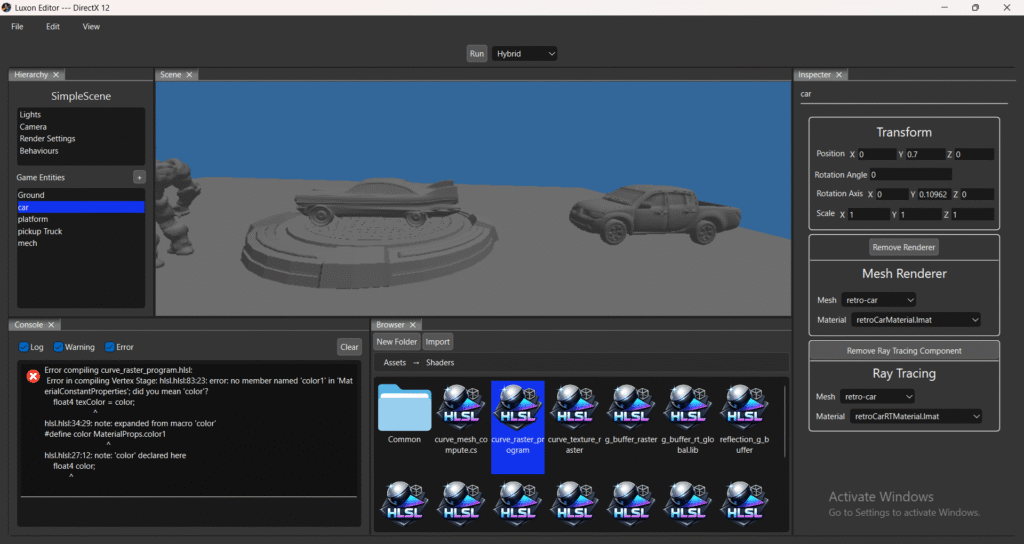
The engine is written in C++ and uses Qt Widgets to provide an editor interface for scene creation and asset management. It supports both DirectX 12 and Vulkan, including DXR and Vulkan Ray Tracing extensions for the ray‑tracing pipeline.
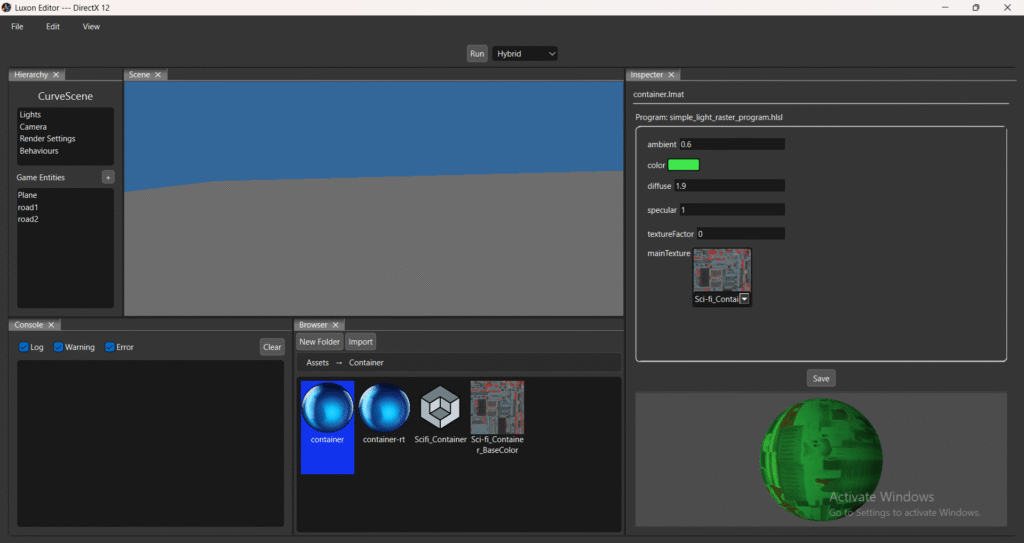
After completing the MSc project, I continued expanding the engine with a fully integrated editor built in Qt. This editor enables creating and modifying scenes, materials, shaders, and importing textures and 3D models, making the engine more practical for experimentation and content creation.
An early alpha version of the engine is available for download and interaction. It is still in a very early stage and has not been fully tested, so please use it with caution.
Technical Highlights
Rendering Pipelines
- Two rendering pipelines:
- Full Ray Tracing Pipeline using DXR or Vulkan Ray Tracing extensions
- Hybrid Pipeline combining rasterization, compute, and ray tracing
- Supports DirectX 12 and Vulkan as interchangeable graphics APIs
- Runtime‑modifiable material parameters for both rasterization and ray‑tracing shaders
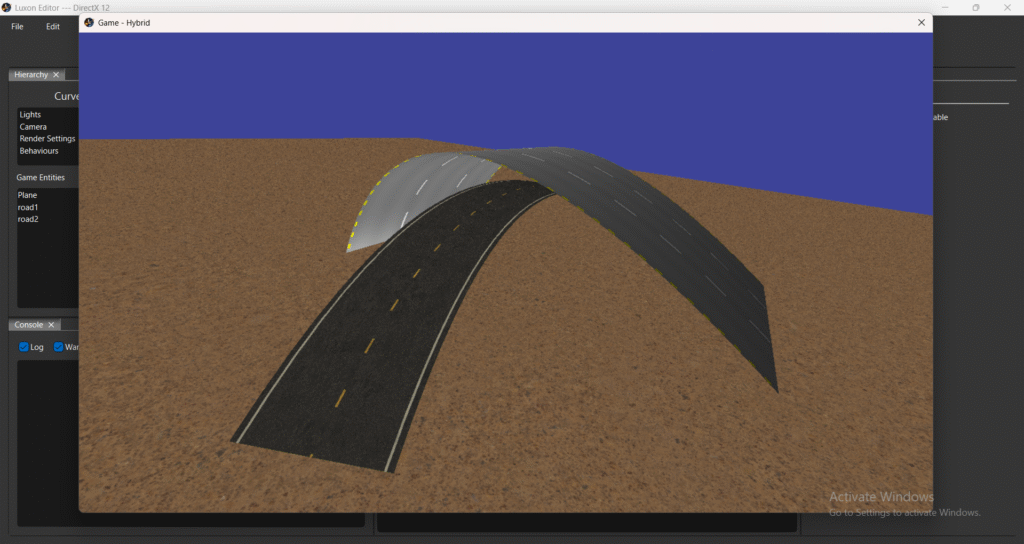
- Simple rasterization preview pipeline inside the editor for inspecting scene layout
Shader and Material System
- Macro‑driven HLSL shader compilation using DXC, allowing a single HLSL file to compile for both DX12 and Vulkan
- Supports rasterization, compute, and ray‑tracing shader programs
- Material instances with unique parameters and textures
- Materials serialized and deserialized via JSON (Boost)
Scene and Entity System
- Scenes contain:
- Entities
- Lights
- Behaviours
- Render settings (clear color, active pipelines, global RT shader, etc.)
- Each entity includes:
- Transform component
- Optional Renderer component (Hybrid pipeline)
- Optional Ray Tracing component (RT or hybrid pipeline)
- Behaviour objects allow custom logic such as camera navigation, object movement, and data logging
Renderer Components
- Mesh Renderer — renders static meshes using a material
- Spline Renderer — renders Bézier curves using compute + geometry shaders
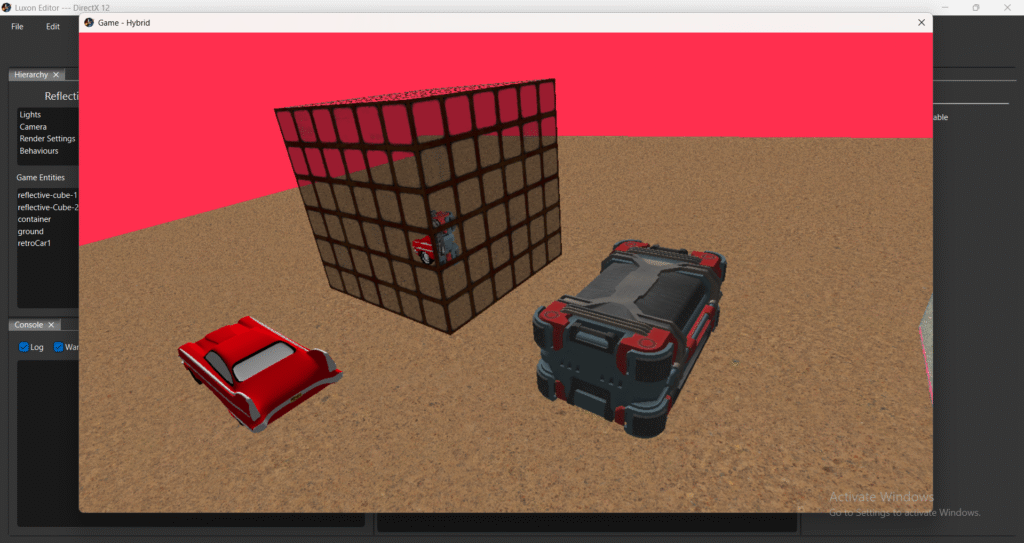
- G‑Buffer Renderer — reflective rendering using G‑buffer, rasterization, and ray tracing
Asset Pipeline and File Management
- Asset importing for:
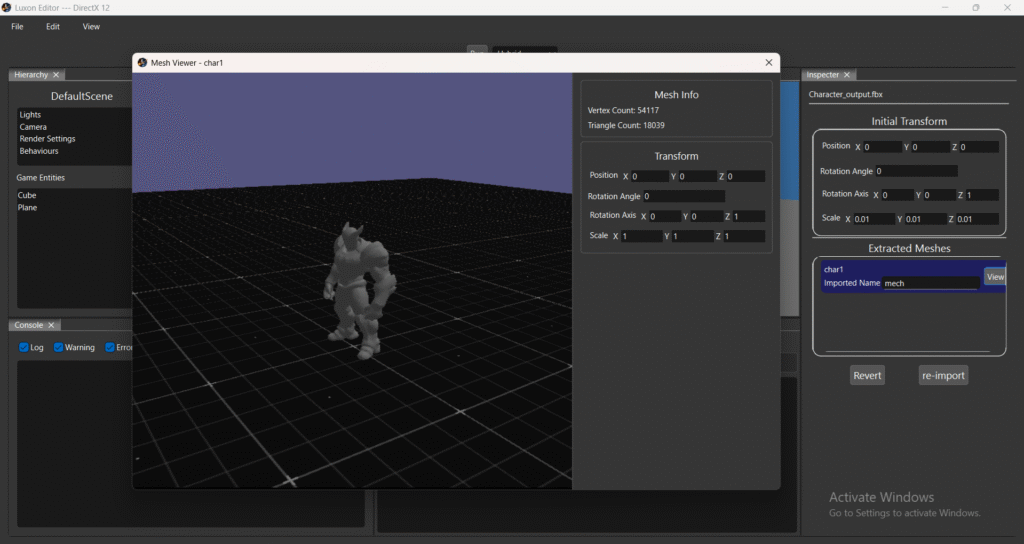
- Static meshes via Assimp
- Textures via Windows Imaging Component (WIC)
- Supports drag‑and‑drop and file‑dialog importing
- Simple asset manager for deleting, moving, and organizing assets
- GUID‑based asset identification (Boost)
- Each asset has a generated meta file storing GUID and import settings (similar to Unity)
- JSON serialization for scenes, materials, and asset metadata
- Win32 file watcher automatically re-imports or recompiles modified, added, or deleted assets and shaders
Editor and Tooling
- Editor GUI built with Qt Widgets
- Inspector window for editing:
- Transform and renderer components
- Behaviour lists
- Lights
- Import settings
- Scene render settings
- Separate mesh‑viewer window for inspecting imported meshes
- Editor preferences system (e.g., last opened scene)
- Scene management: create, open, and delete scenes
- Built‑in logging console with categorized messages (info, warning, error)
Architecture
- Engine core API fully separated from the Qt editor layer, allowing future GUI replacement
- Modular design enabling independent development of rendering, asset, and editor subsystems
Future Roadmap
Rendering Pipeline Improvements & Refactoring
- The current rendering pipelines have structural limitations, such as not being able to add entities while the renderer is running. This is essential for a scene editor workflow.
- The plan is to introduce clearer abstraction layers for rasterization, compute, and ray tracing modules to reduce duplicated code between DirectX 12 and Vulkan.
- Additional goals include:
- Adding Mesh Shader support and a full Mesh Pipeline
- Implementing missing ray‑tracing stages (intersection, any‑hit)
- Moving toward a customizable rendering pipeline system similar to Unity’s SRP
Reflection System
- Implement a macro‑driven reflection system similar to Unreal Engine to automatically synchronize object properties with inspector UI fields.
- This will reduce boilerplate getter/setter code and improve editor responsiveness.
- It will also simplify linking engine components (e.g., renderer components) to pipeline setup functions.
GUI Framework Abstraction
- Qt code is currently tightly integrated into the main application. The goal is to create an abstract GUI layer that can use Qt, Dear ImGui, or other frameworks underneath.
- This abstraction will:
- Allow users to extend the editor with new windows and custom inspectors
- Make the editor more modular and future‑proof
- Enable switching GUI frameworks without rewriting the entire editor
Current Priority
- The immediate focus is improving and refactoring the rendering pipeline to make the engine more interactive, visually capable, and flexible for future features.